
CIMS Template Overview
Professional PDF templates for invoices, quotes, and receipts. Customize accent colour, titles, footer, and visible fields under Settings → PDF invoice template. Click any template for a larger preview.
Quote template
Click to preview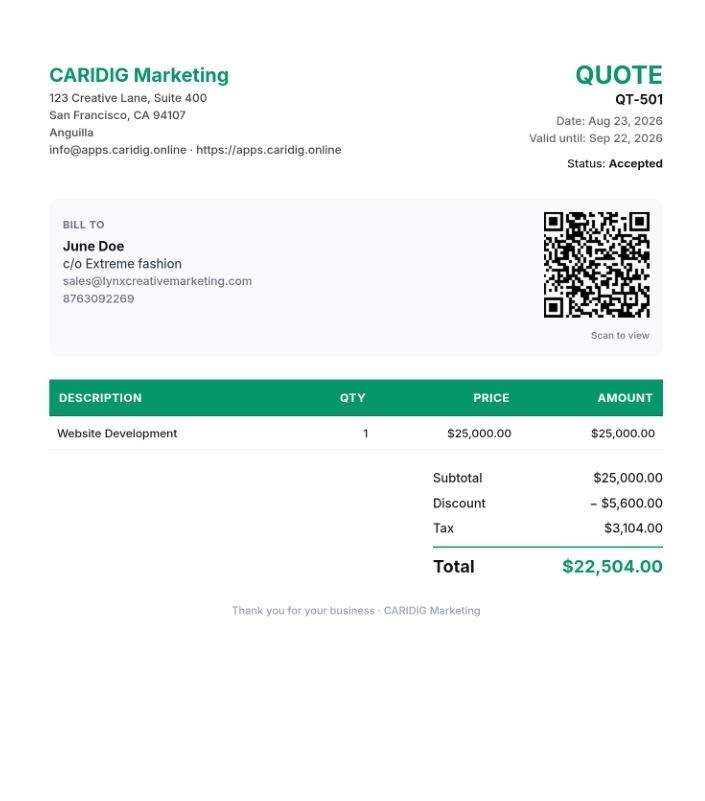
Features
- Same professional layout as invoices for brand consistency
- Valid-until date instead of payment due date
- One-click convert quote → invoice when the client accepts
- Shareable customer link and QR code on the PDF
- Configurable title (QUOTE / PROPOSAL / ESTIMATE)
- Discounts, tax toggle, and multi-currency support
When to use
- Propose scope and pricing before work begins
- Lock a validity window so pricing does not drift
- Win the deal, then convert to an invoice without retyping lines
Quotes stay in draft or sent until accepted or declined. Converting creates a linked invoice with the same customer, items, and totals.
Invoice template
Click to preview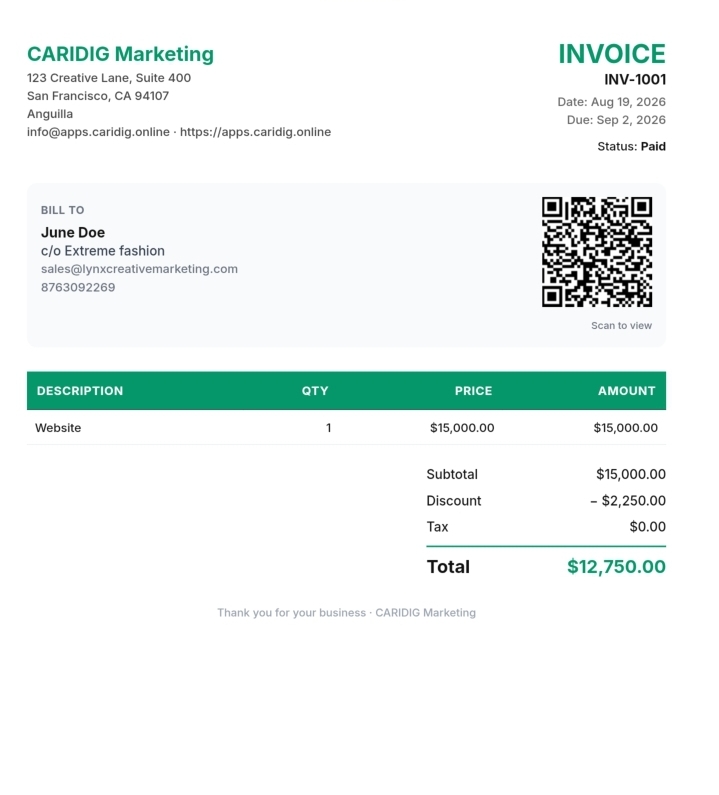
Features
- Business logo, name, address, phone, email, website, and tax ID
- Customer “Bill to” block with name c/o business name
- Line items with description, quantity, unit price, and line totals
- Fixed or percentage discounts and optional tax rate
- Issue date, due date, invoice number, status, and notes
- Shareable customer link with QR code on the PDF
When to use
- Request payment for completed or scheduled work
- Track balances, partial payments, and paid status
- Collect online via Stripe or PayPal on the share link
Invoices can be drafted, sent, partially paid, or marked paid. PDF download and email/WhatsApp delivery keep the same branded layout.
Receipt template
Click to preview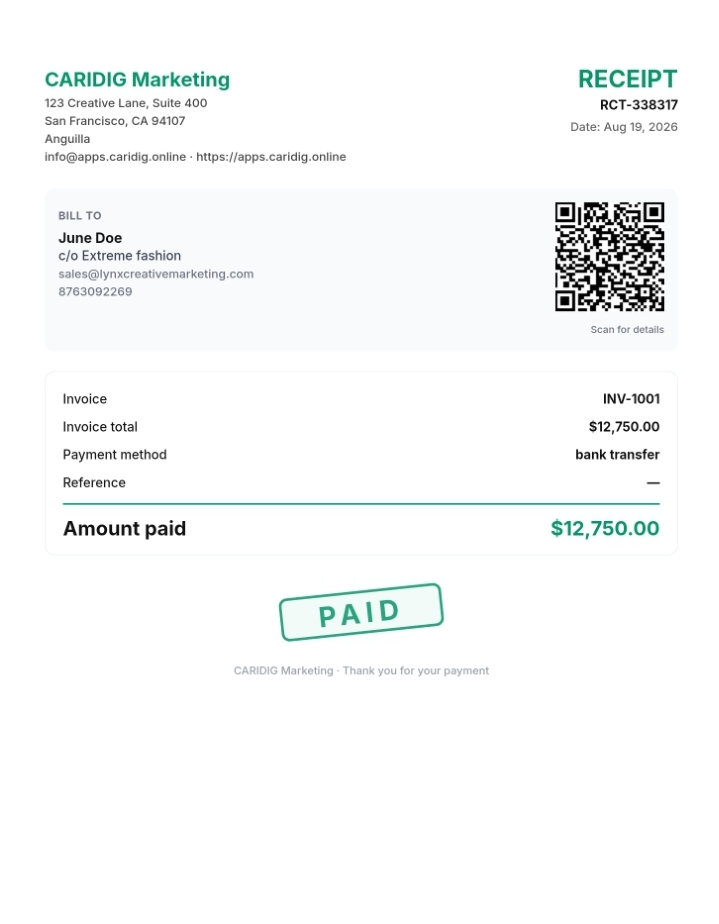
Features
- Optional auto-generation when you record a payment
- Links to the parent invoice and payment method
- Reference / gateway ID and optional payment notes
- Clear “PAID” watermark treatment on the PDF
- Downloadable PDF matching your brand colours
- QR code for quick online verification
When to use
- Confirm a partial or full payment to the customer
- Keep an audit trail tied to the original invoice
- Email or download proof of payment after gateway checkout
Receipts are generated from the Payments flow. Each receipt shows amount paid, method, and reference so customers and accountants can reconcile quickly.
Sharing + Header and Footer Template Features
- Accent colour — applied to titles, borders, totals, and the paid stamp
- Custom titles for Invoice, Quote, and Receipt
- Footer message (e.g. “Thank you for your business”)
- Toggle logo, tax ID, website, phone, and address on or off
- A4 PDF via html2canvas + jsPDF; QR code links to the customer share URL
- Public share links so clients view and pay without creating an account
Feel free to recommend custom features at no additional fees
Go Home
Open CIMS Settings to customize
Live Support
Changes in Settings apply to all new PDF downloads and share previews.